You can navigate to any section of the article by clicking its title
- What Is Evrotrust?
- Signature and Identification Type
- Who Can Use Evrotrust?
- Key Requirements and Limitations
- Obtaining an Evrotrust Signing Key
- Signing with Evrotrust in WhiteDoc
What Is Evrotrust?
Evrotrust is a European qualified trust service provider that allows users to complete electronic identification remotely and obtain a Qualified Electronic Signature (QES).
The service operates remotely and does not require a physical electronic-signature device or a separate card reader.
After successfully completing the identification process, users can obtain a Qualified Electronic Signature from Evrotrust and use it to sign electronic documents, including documents on services and platforms that support Evrotrust integration.
Signature and Identification Type
Evrotrust provides a Qualified Electronic Signature in accordance with the requirements of eIDAS. User identity is verified through Evrotrust’s electronic identification (eID) service.
A Qualified Electronic Signature is the highest level of electronic signature recognized under European law and has the same legal effect as a handwritten signature within the European Union.
Who Can Use Evrotrust?
Evrotrust is a Bulgarian trust service provider; however, the service is not limited to Bulgarian citizens or residents. Non-residents and users from other countries may also use the service, provided that Evrotrust supports their country and the identification data required for verification.
The service supports users from many countries in Europe and beyond, including Austria, Belgium, the United Kingdom, Germany, Poland, Romania, France, the Czech Republic, Switzerland, the United States, Canada, Australia, Georgia, Moldova, Türkiye, and Ukraine.
The full list of supported countries and the identification methods available for each country can be found on Evrotrust’s supported countries page.
For Ukrainian citizens, Evrotrust supports identity verification using:
- International passport;
- ID card.
Ukraine is also supported for the use of an Individual Taxpayer Number (ITIN) as an additional identification attribute. It is not a separate verification document and is used together with the information contained in the identity document.
In other words, Ukrainian citizens can use Evrotrust to obtain a Qualified Electronic Signature, provided that their identity is successfully verified.
Please note that the list of supported documents and identification data may vary by country. The fact that a country is included in the list of supported countries does not mean that Evrotrust accepts all types of documents issued by that country.
Key Requirements and Limitations
To use Evrotrust, users must:
- Be at least 18 years old;
- Have a valid document supported by Evrotrust;
- Have a mobile device with a camera, NFC, and Internet access;
- Have access to a phone number and email address required to use the account.
The primary limitation is whether Evrotrust supports the specific identity document and identification data provided by the user. Therefore, before starting the registration process, we recommend checking which documents and data Evrotrust supports for the relevant country.
The ability to use an Evrotrust signature with a third-party service also depends on whether that platform supports Evrotrust as a signing method
Obtaining an Evrotrust Signing Key
Follow the link to the relevant page in the Play Market or App Store and download the application to your mobile device.
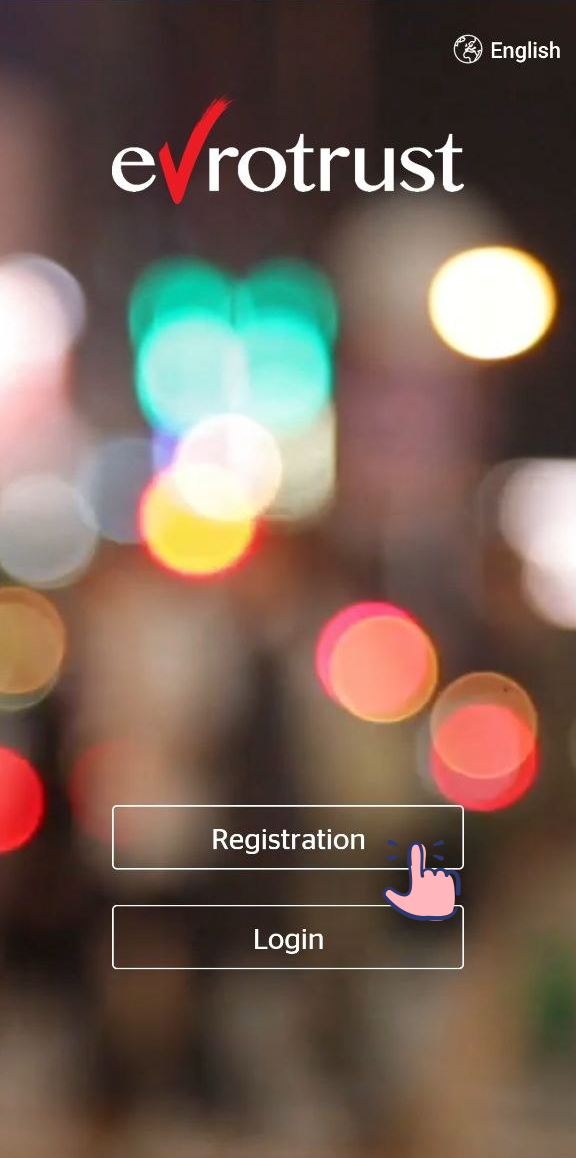
Open the app and tap "Registration" to verify your identity and create your electronic signature.
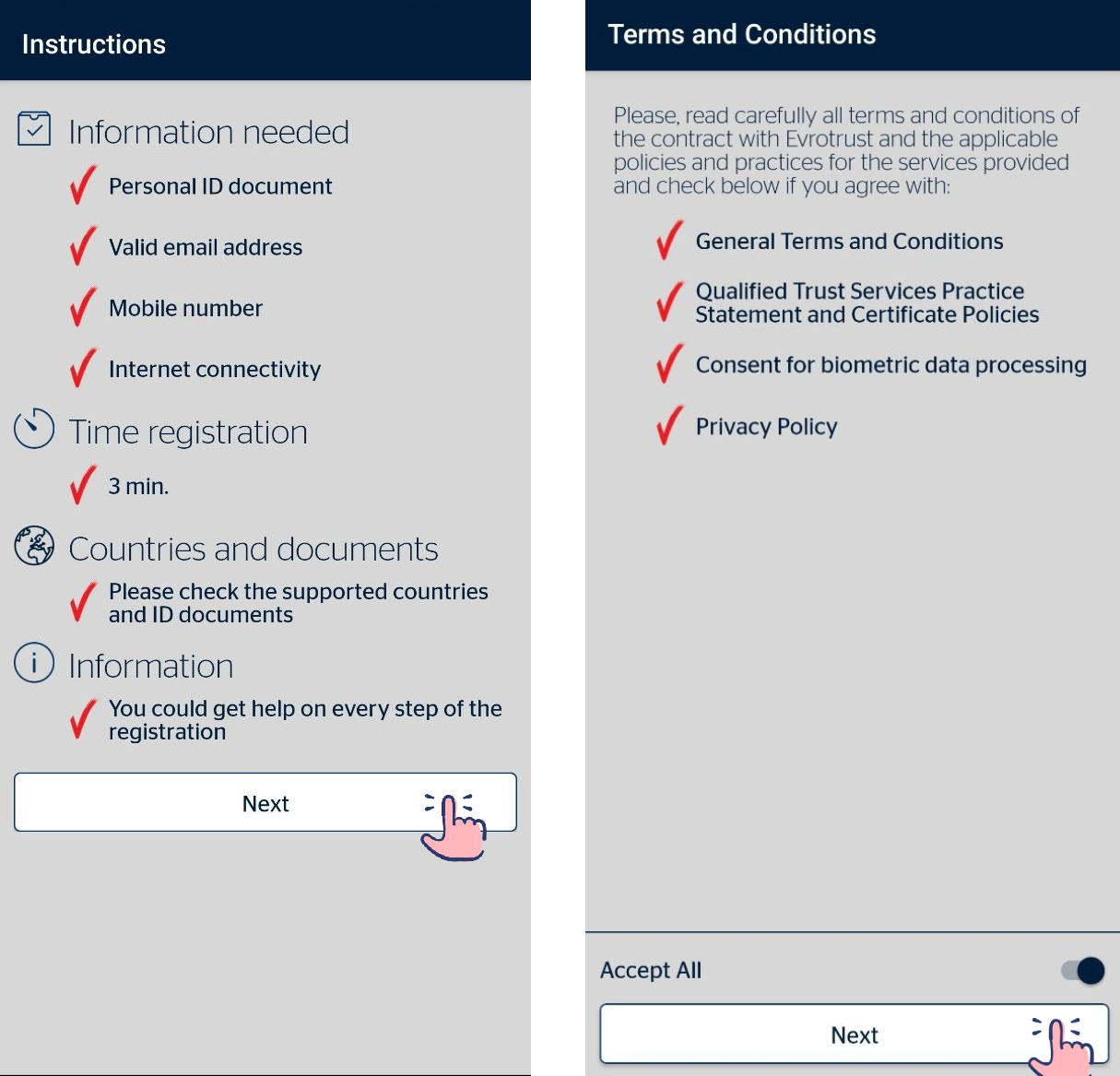
Review the app’s terms and policies, then tap "Next".
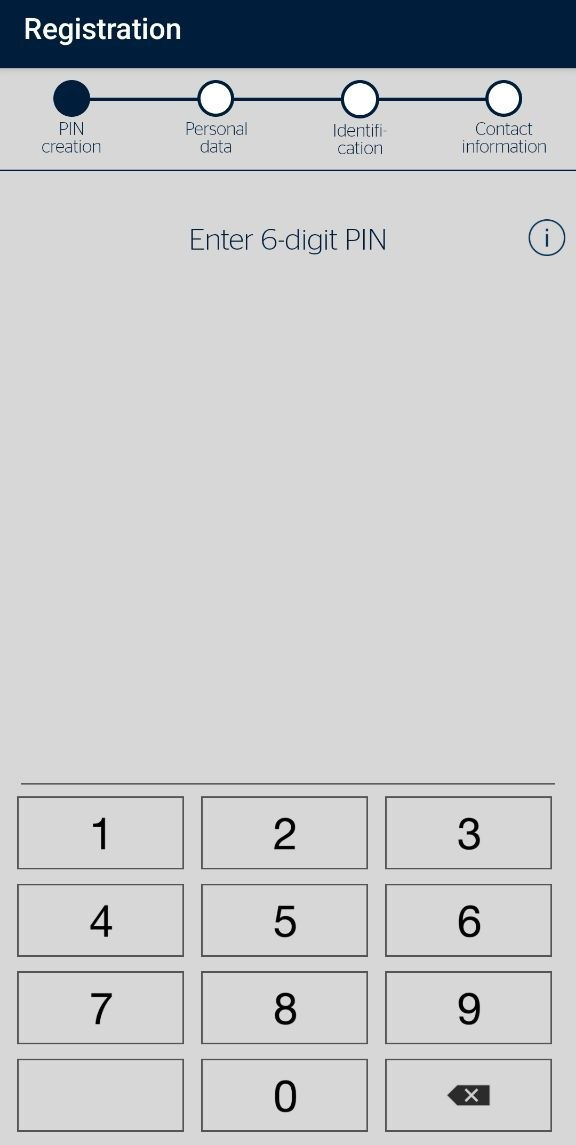
Create a six-digit numeric password.
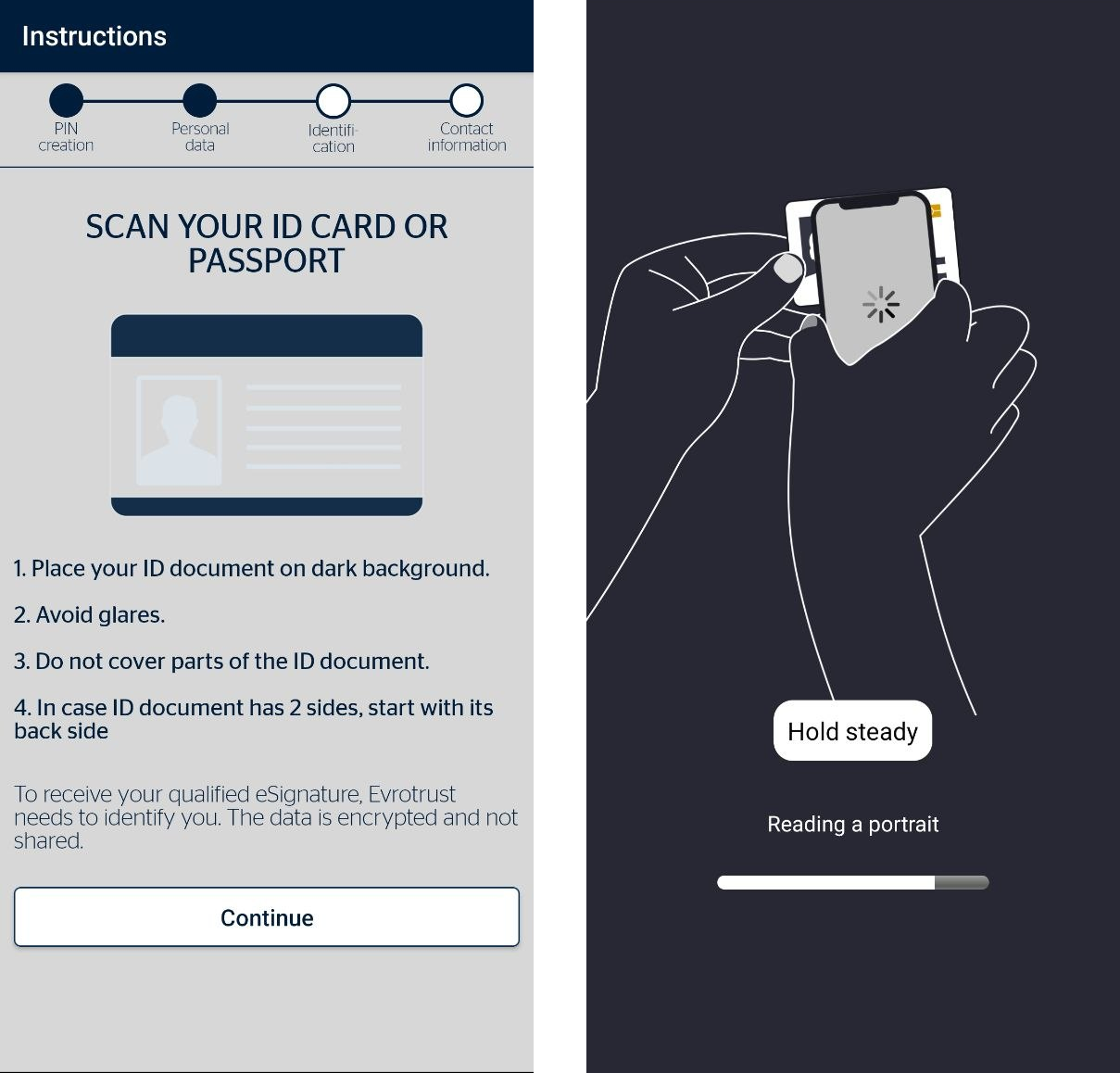
Next, you will need to verify your ID card or international passport.
Open the first page of your international passport or turn your ID card face up. Position the document within the camera frame so that the entire document is visible.
After the app confirms the document data, place your phone on the document and wait while the chip is scanned.
After the facial verification step, your personal information will be populated automatically. Carefully review the information for accuracy. If necessary, you can edit it manually. If everything is correct, tap "Next".
You will then need to complete facial verification. Follow the on-screen instructions to complete this step.
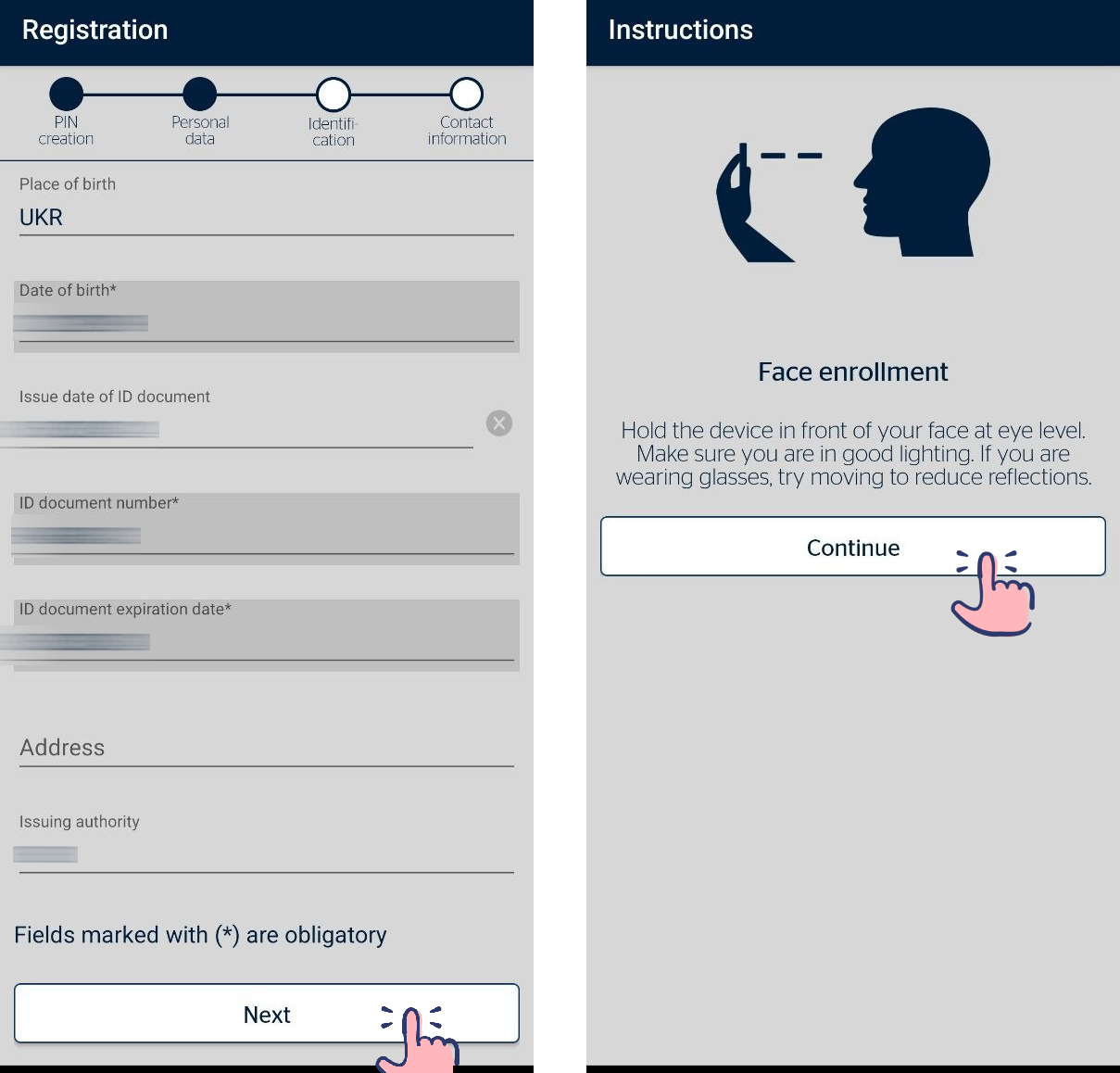.png)
Please note:
Your mobile device must have both a camera and NFC enabled to complete this step.
After facial verification is complete, the app will automatically take you to the home screen.
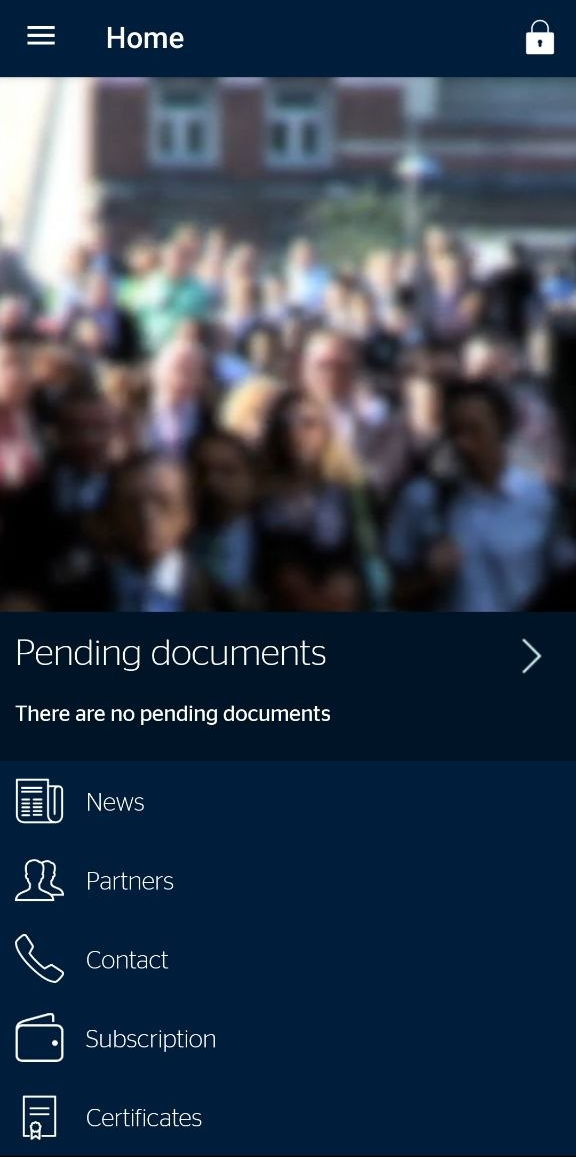
You have now created an electronic signature using Evrotrust, and it is ready to use.
Signing with Evrotrust in WhiteDoc
Open the envelope, open the signature field, and select "Evrotrust EU" as the signing method.
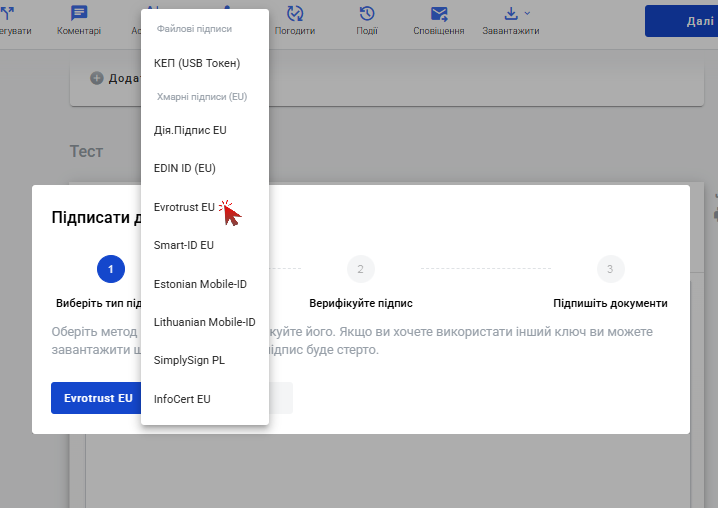
Click "Sign" button
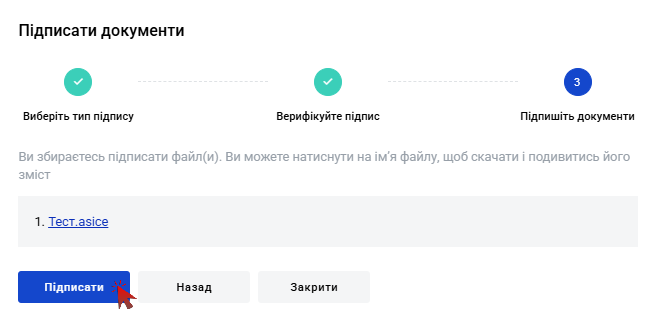
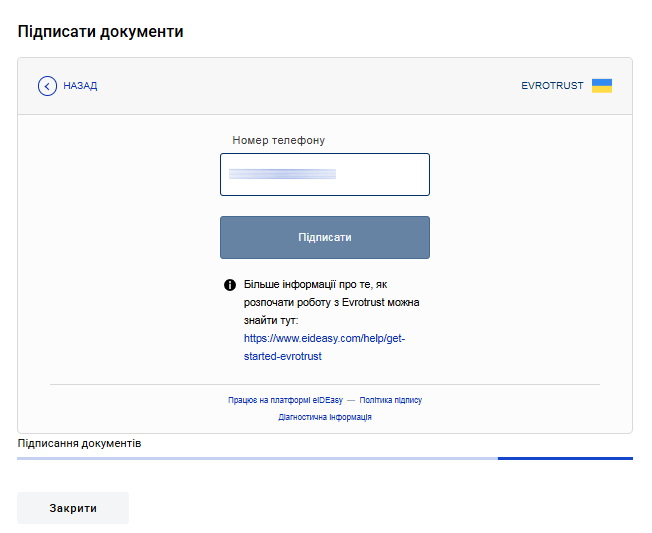
Enter your phone number and click "Sign". If you have multiple phone numbers, enter the number you used during registration.
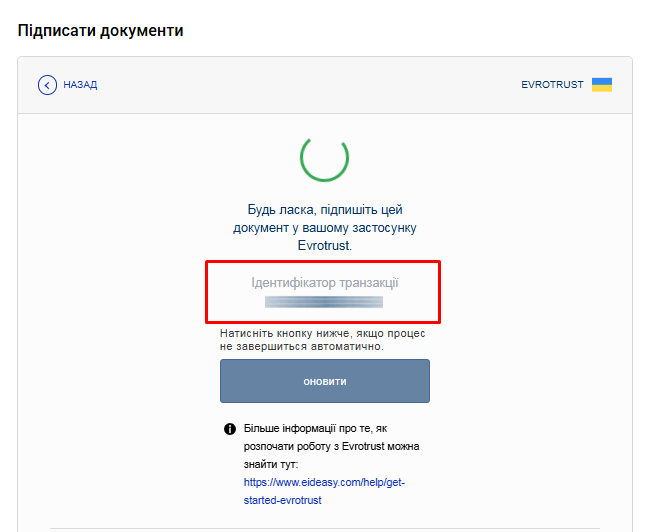
A signing request ID will then be displayed. You can use this ID to locate the document in the Evrotrust app.
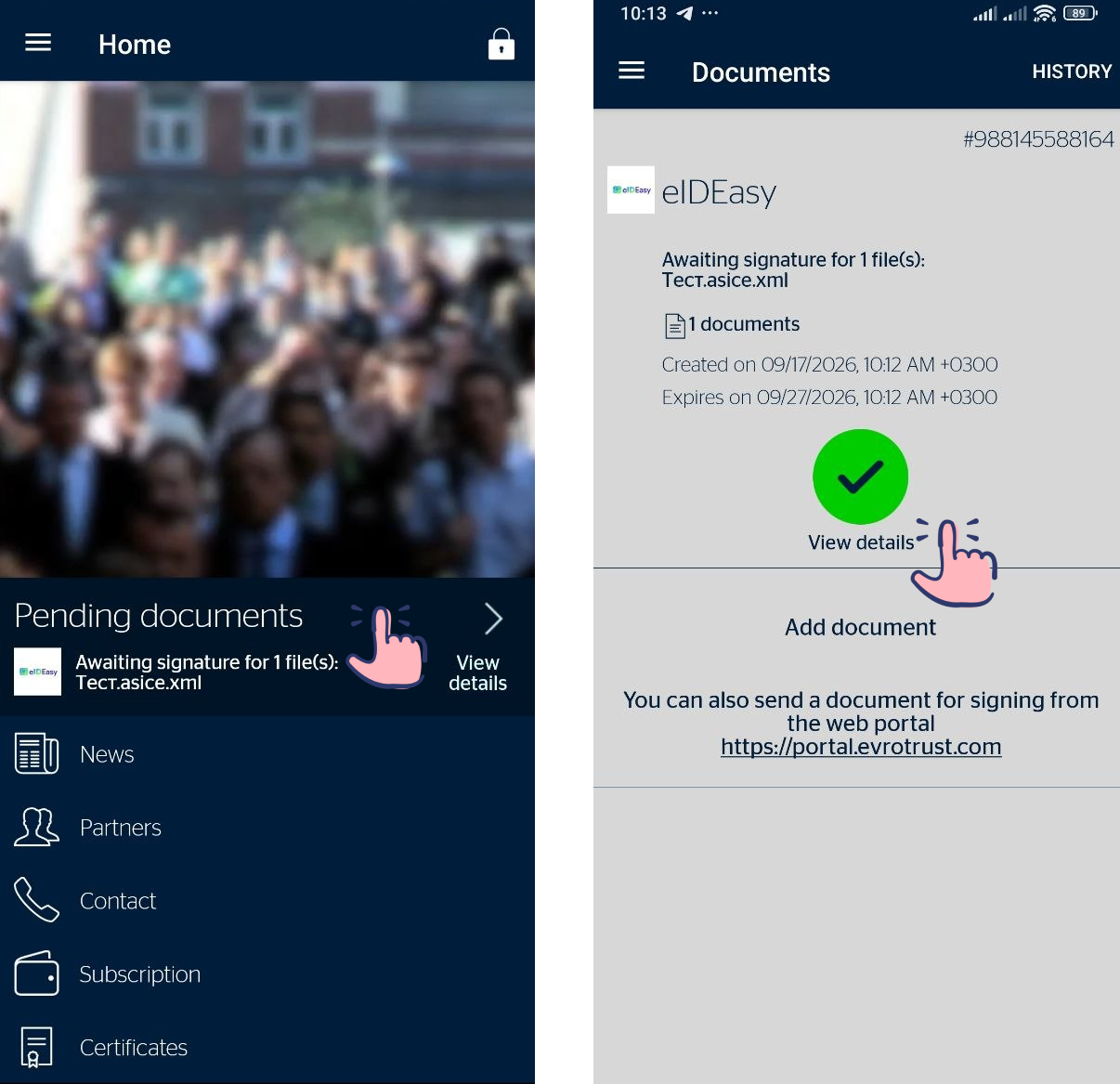
Open the Evrotrust mobile app and tap "Pending documents". Information about the new document will be displayed. Tap "View details".
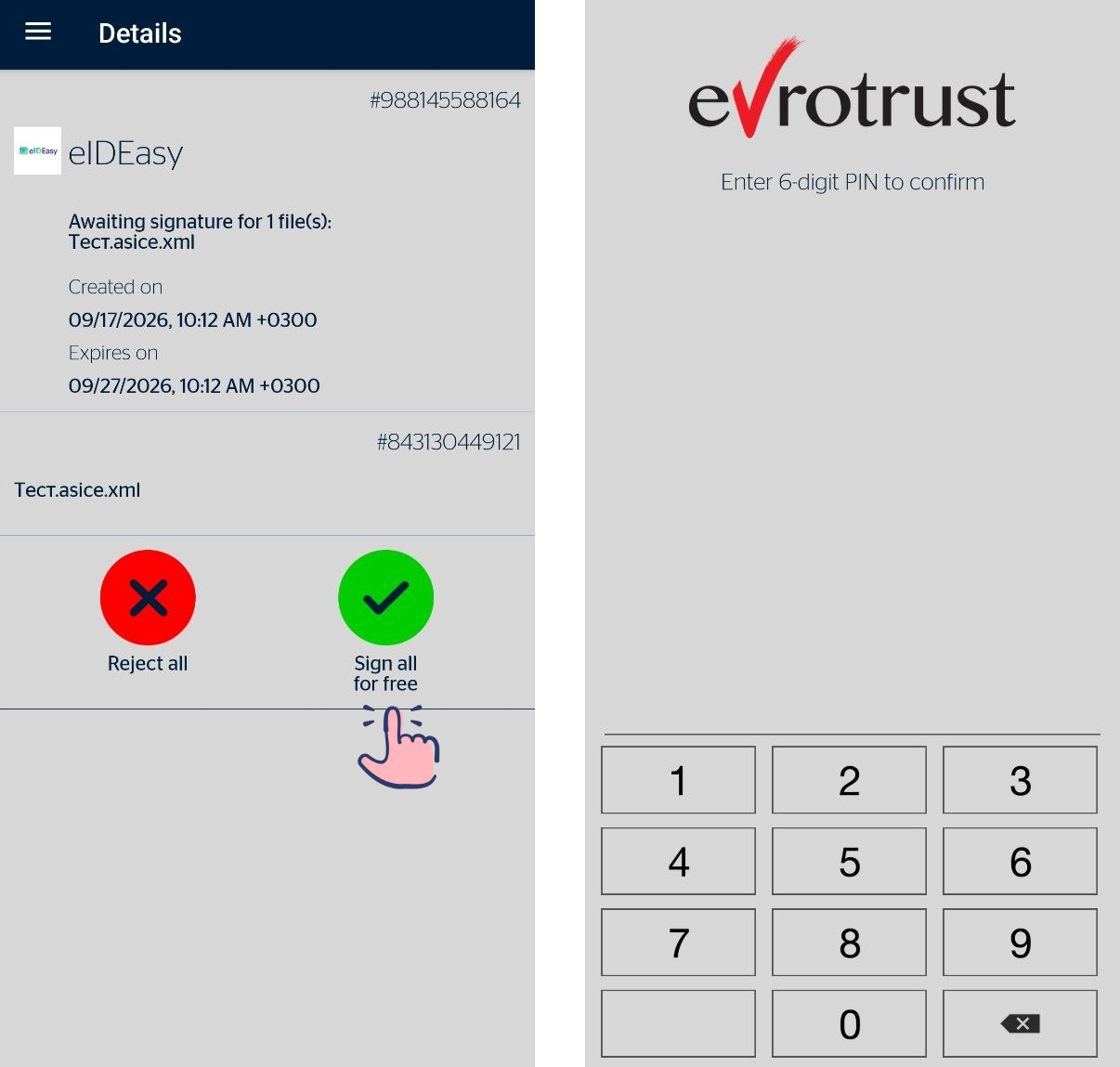
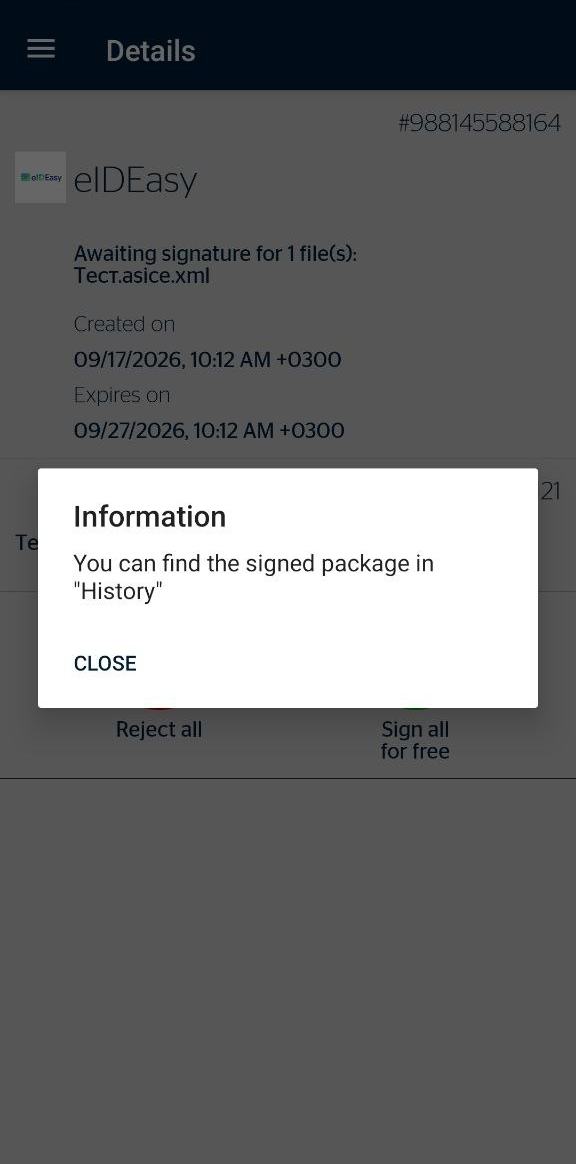
Tap "Sign all for free" and enter the password you use to log in to the app.
You will then receive a notification confirming that the document has been successfully signed. Return to the document page in WhiteDoc.
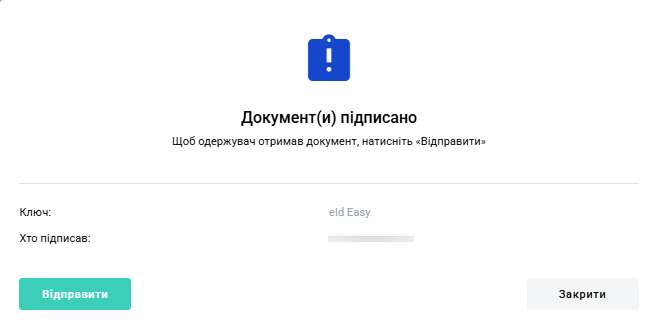
A message confirming that the document has been successfully signed will appear. Click "Send" to complete the document processing.
Now you have a clearer understanding 😉
WhiteDoc
